What Sunlo is
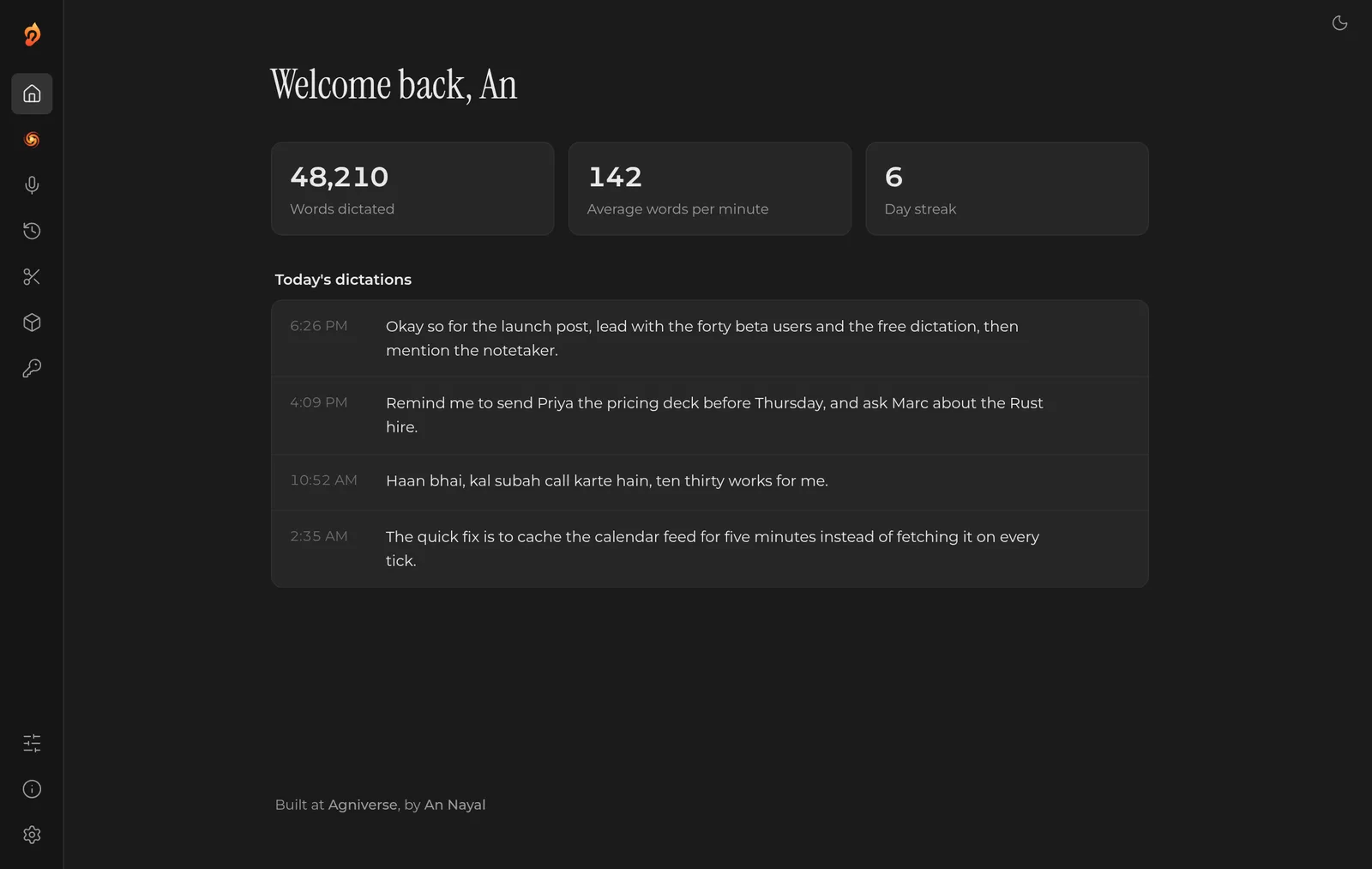
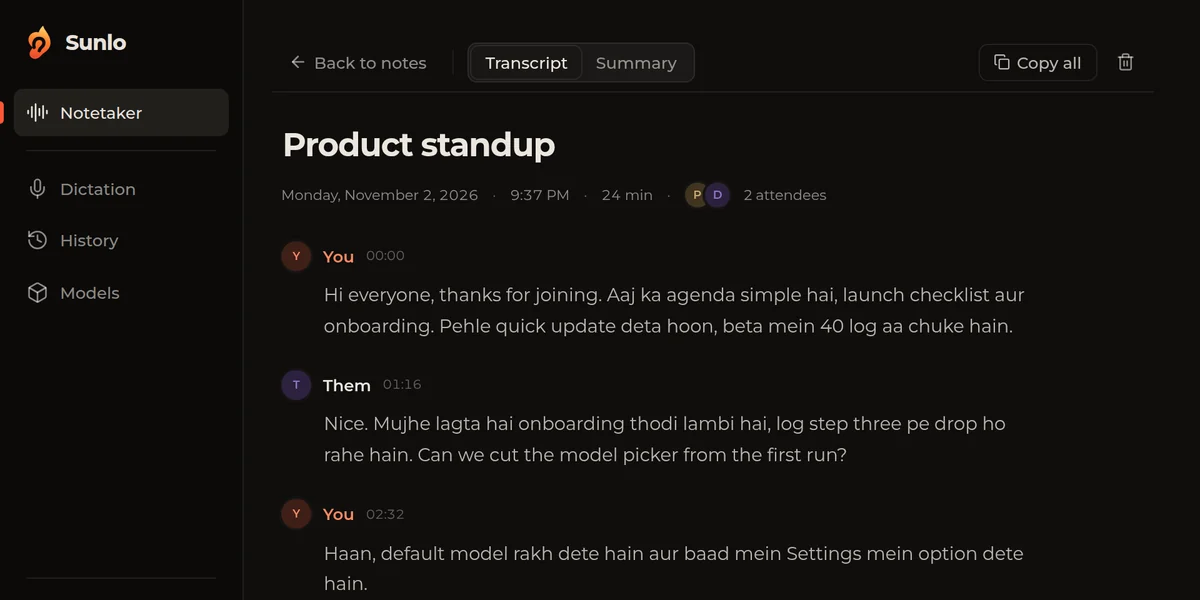
Sunlo types what you say in any app and takes notes on your calls. Dictation works in 100 languages, and Hinglish comes out in Roman letters, the way you would type it. The notetaker records both sides of a call, writes the transcript on your computer in English, French or Hinglish, and names the note after the calendar invite. I built it at Agniverse for our own team as a free swap for Wispr Flow and Granola.
What it does
Inside the app
Languages
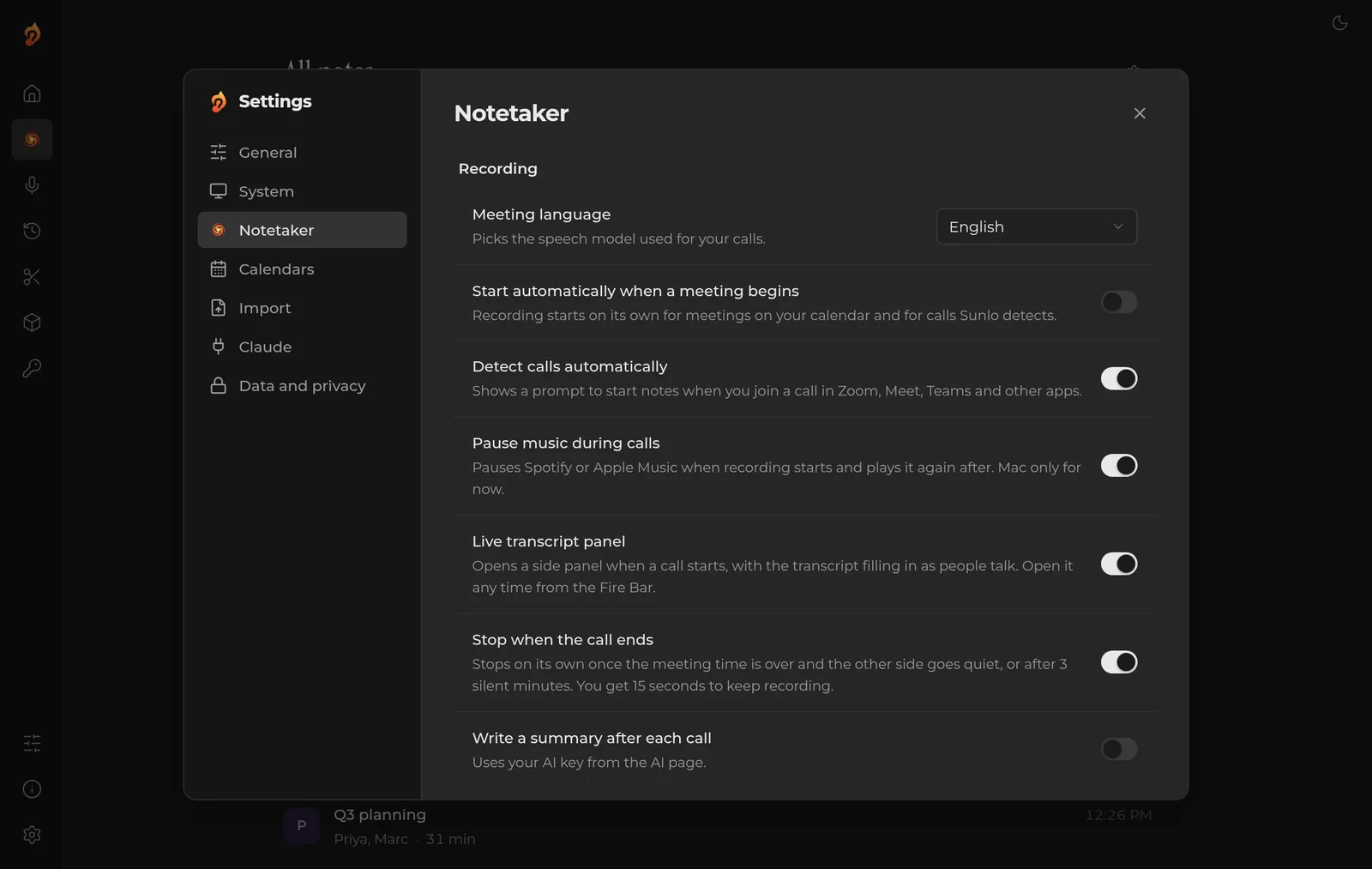
Call notes, 3 languages. English, French and Hinglish (Hindi and English, written in Roman letters). Pick one per call. Each runs on its own speech model on your computer.
Dictation, 100 languages plus Hinglish. The Whisper models cover all 100. Parakeet V3, the fast default, covers 25 European languages. Hinglish uses Sunlo's own Hinglish models.
Afrikaans, Albanian, Amharic, Arabic, Armenian, Assamese, Azerbaijani, Bashkir, Basque, Belarusian, Bengali, Bosnian, Breton, Bulgarian, Burmese, Cantonese, Catalan, Chinese, Croatian, Czech, Danish, Dutch, English, Estonian, Faroese, Finnish, French, Galician, Georgian, German, Greek, Gujarati, Haitian Creole, Hausa, Hawaiian, Hebrew, Hindi, Hungarian, Icelandic, Indonesian, Italian, Japanese, Javanese, Kannada, Kazakh, Khmer, Korean, Lao, Latin, Latvian, Lingala, Lithuanian, Luxembourgish, Macedonian, Malagasy, Malay, Malayalam, Maltese, Maori, Marathi, Mongolian, Nepali, Norwegian, Norwegian Nynorsk, Occitan, Pashto, Persian, Polish, Portuguese, Punjabi, Romanian, Russian, Sanskrit, Serbian, Shona, Sindhi, Sinhala, Slovak, Slovenian, Somali, Spanish, Sundanese, Swahili, Swedish, Tagalog, Tajik, Tamil, Tatar, Telugu, Thai, Tibetan, Turkish, Turkmen, Ukrainian, Urdu, Uzbek, Vietnamese, Welsh, Yiddish, Yoruba.
The app itself, 26 languages. Menus, settings and buttons are translated.
Arabic, Bulgarian, Catalan, Chinese (Simplified), Chinese (Traditional), Czech, Danish, Dutch, English, French, German, Hebrew, Hindi, Indonesian, Italian, Japanese, Korean, Nepali, Polish, Portuguese, Russian, Spanish, Swedish, Turkish, Ukrainian, Vietnamese.
Who it's for
Anyone who wants Wispr Flow style dictation and Granola style call notes without a subscription, and teams who talk in Hinglish. We built it for the Agniverse team first.
What it doesn't do yet
- The Mac download is for Apple Silicon (M1 and newer). There is no Intel Mac or Linux download yet.
- The Windows installer is not signed with a Microsoft certificate yet, so Windows may show a blue box the first time. The steps are below.
- There is no built-in AI. Summaries need your own key.
- No accounts, sharing or cloud sync. Each person's notes stay on their own computer.
Install
Mac (Apple Silicon, M1 or newer)
- Click Download for Mac and open the .dmg file.
- Drag Sunlo into Applications, then open it from Applications. The app is signed and notarized by Apple, so it opens straight away.
- Allow the microphone when asked, and turn Sunlo on under Privacy & Security > Accessibility so it can type into other apps.
- For call notes, turn Sunlo on under Privacy & Security > Screen & System Audio Recording, so it can hear the other side of the call.
- Pick a speech model. It downloads once, then Sunlo works offline.
Windows 10 and 11
- Click Download for Windows and run the setup file.
- If a blue Windows protected your PC box appears, click More info, then Run anyway.
- Finish the installer and open Sunlo from the Start menu.
- Allow the microphone when asked.
- Pick a speech model. It downloads once, then Sunlo works offline.
Questions
Is Sunlo really free?
Yes. It's free to download and use, for work too. There is no account and no paid plan.
Does Sunlo update itself?
Yes. When a new version is out, Sunlo offers it inside the app. The updates are signed, so the app only installs files we built.
Can Claude read my Sunlo notes?
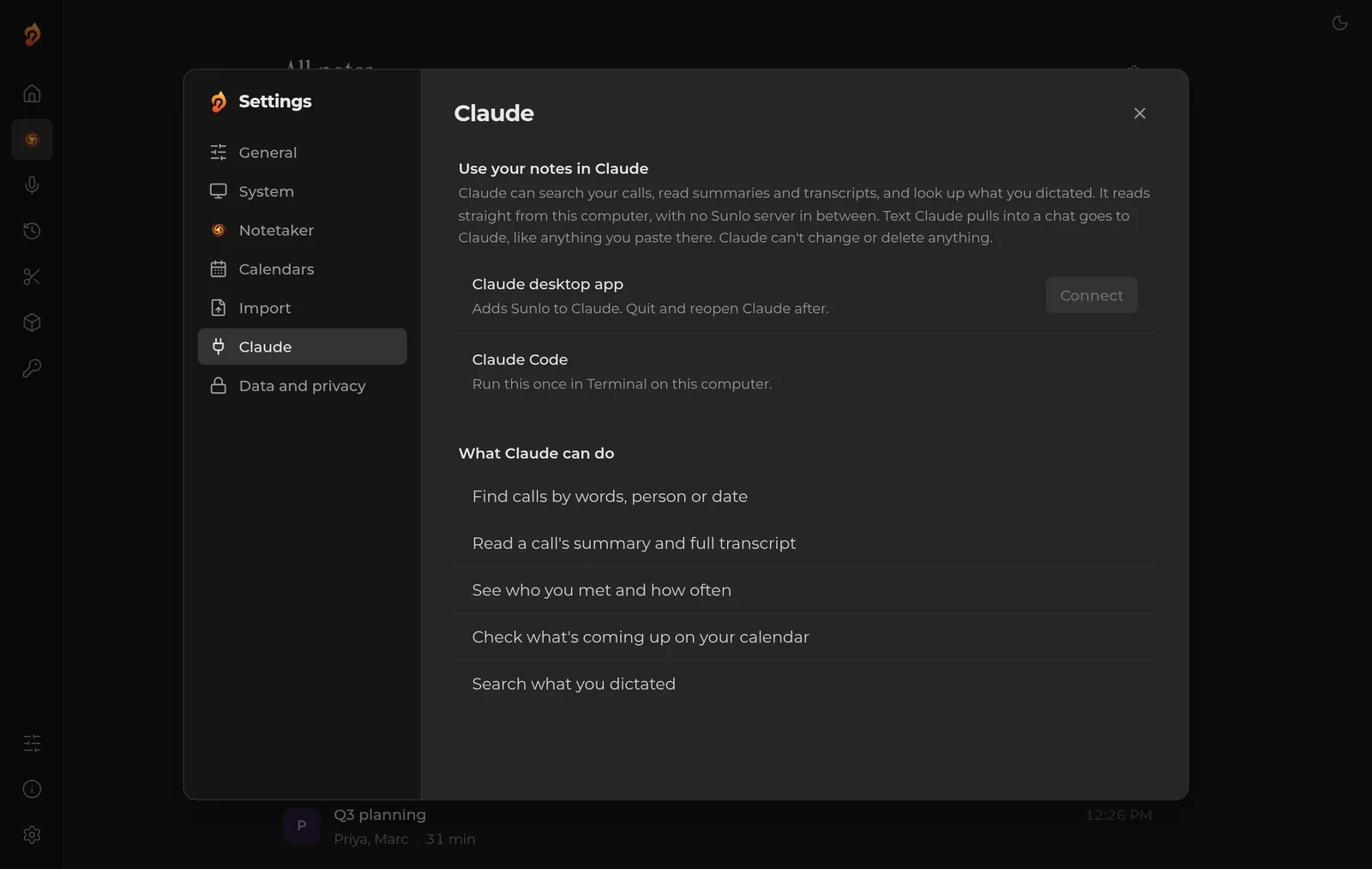
Yes. Settings > Claude connects Sunlo to the Claude desktop app in one click and gives you a line to add it to Claude Code. Claude can then search your calls, read their summaries and transcripts, and check your upcoming meetings. It reads from your computer and can't change or delete anything.
Does my audio leave my computer?
No. Transcription runs on your computer. Text only leaves it if you turn on summaries with your own AI key, and then it goes to the provider you picked.
Where are my notes stored?
In Sunlo's folder on your computer. Settings > Data and privacy shows where it is and opens it.
Which languages does Sunlo understand?
Dictation works in 100 languages plus Hinglish. Call notes work in English, French and Hinglish. The app itself is translated into 26 languages. The full list is on this page.
Can I bring my notes from Wispr Flow?
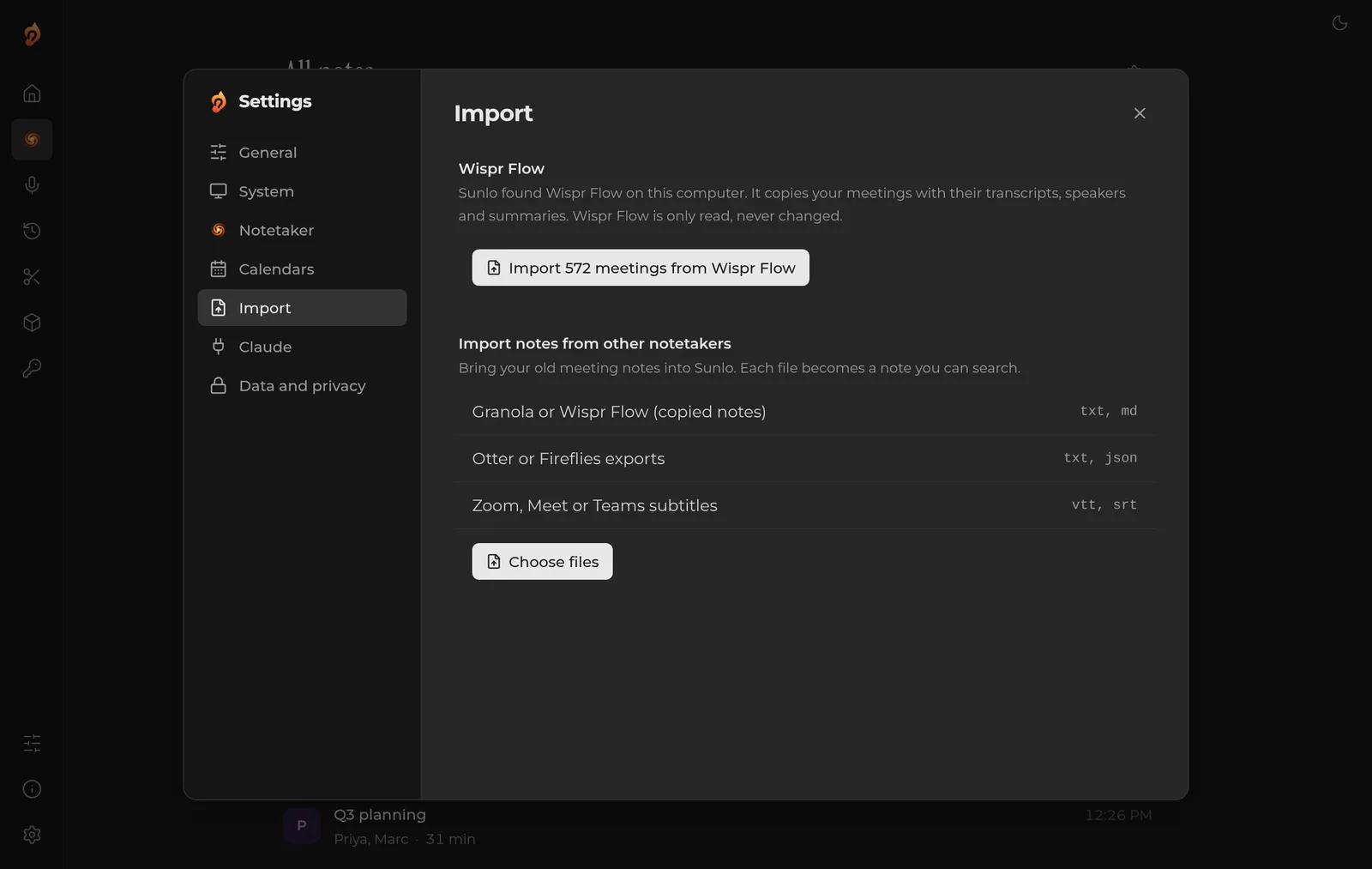
Yes, on Mac. Settings > Import finds Wispr Flow on your computer and copies your meetings with their transcripts, speakers and summaries. Wispr Flow is only read, never changed.
Built at Agniverse, by An Nayal. More free tools on annayal.com/open-source.