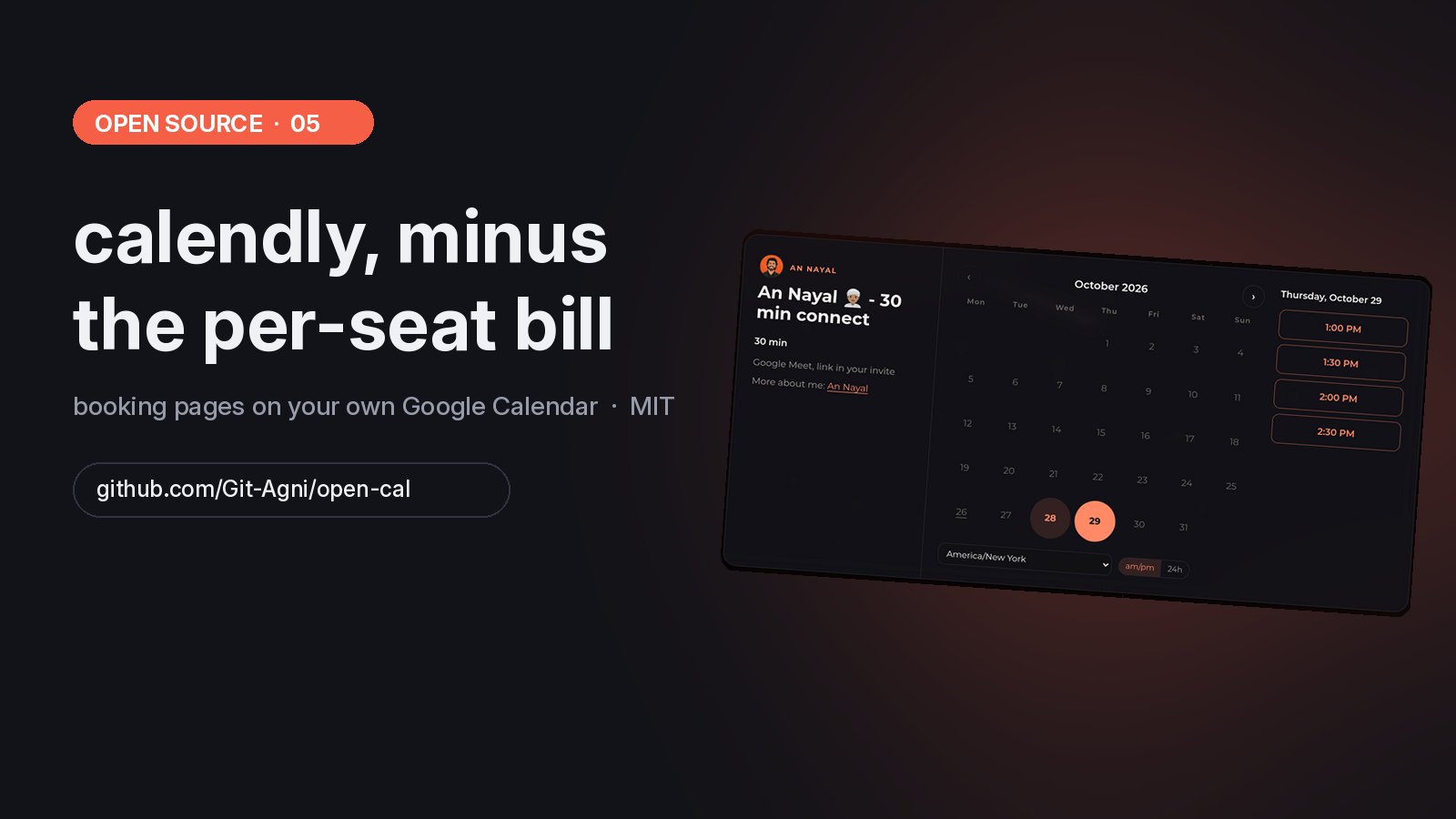
open-cal is a free, open source (MIT) Calendly alternative. It puts booking pages on your own Google Calendar with one Next.js app, one Supabase database and one Google service account, and it has no per-seat pricing. We replaced three Calendly accounts with it, and every booking link I share now runs on it.
Underneath, a booking tool does two things. It asks Google which times you're free, and it puts an event on your calendar. Calendly charges per seat for that. So I built it myself, put the whole team on it, and open sourced it.
#What you get
Everything here is in the repo today.
- Booking pages.
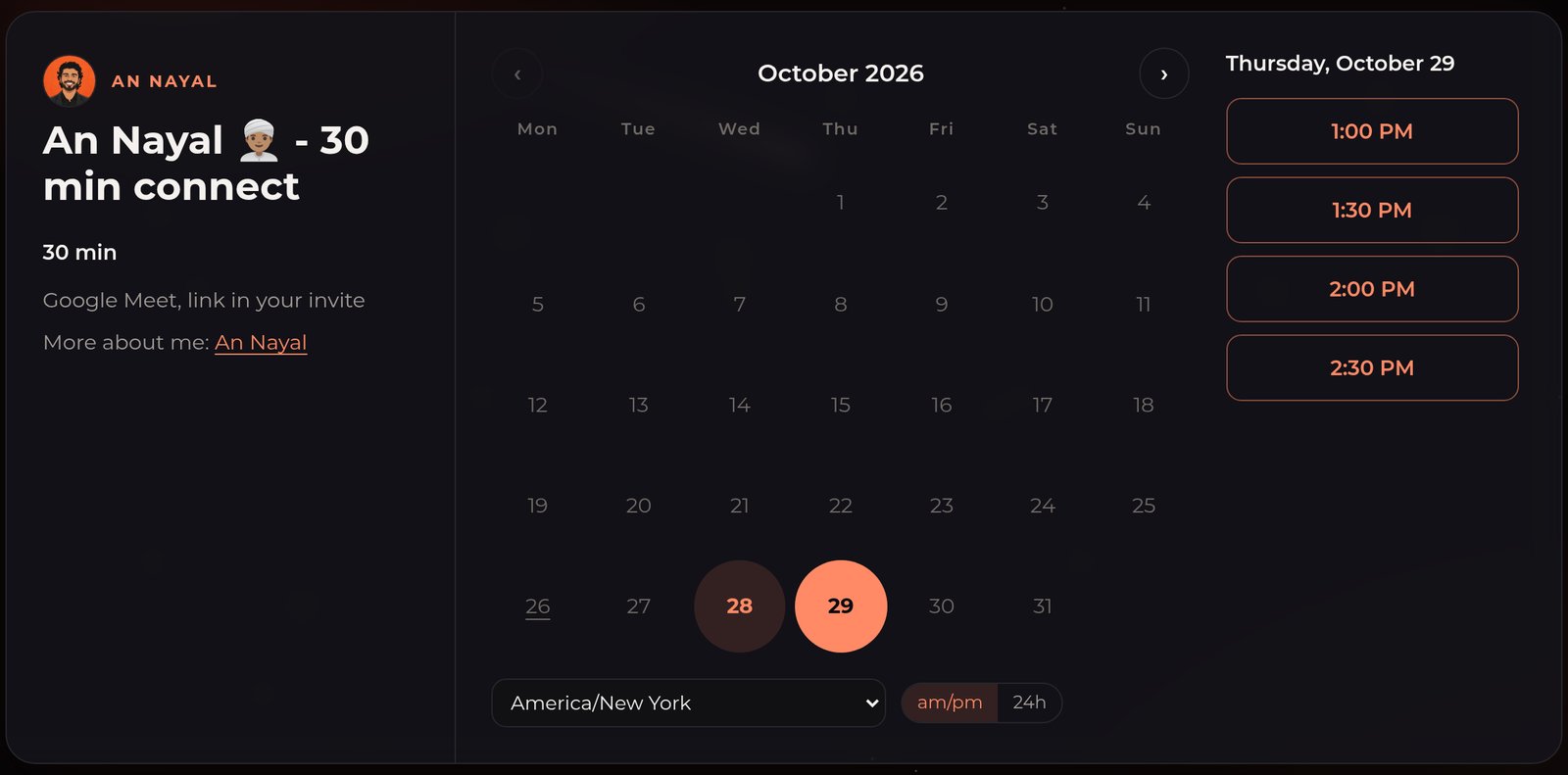
/<person>lists their events,/<person>/<event>is the picker. Guests see times in their own time zone, 12h or 24h. - Real availability. Open times come from live Google free/busy across every calendar you tick, including calendars from other accounts shared with you. Guests only ever see open start times, never your events.
- Google does the invites. The booking lands on the host's calendar with a Meet link, and Google sends the invite, reminders, updates and cancellations.
- Reschedule and cancel links. Every invite carries a private link where the guest moves or cancels the meeting.
- A form like Calendly's. Name, email, add guests, and your own questions.
- Rules per event. Length, minimum notice, how far ahead, buffers, max per day, its own hours, extra calendars that must be free too, and a calendar colour.
- Links that don't break. Rename an event's link and the old one keeps redirecting to it,
utm_tags included. - Race-safe. Two guests can never book the same start. The second one gets "that time was just taken".
| Calendly | open-cal | |
|---|---|---|
| Price | Per seat, per month | Free, you host it |
| Your calendar data | On their servers | Your Supabase, your Google |
| Invites and Meet links | Yes | Yes, sent by Google itself |
| Reschedule and cancel links | Yes | Yes |
| Per-event hours and buffers | Yes | Yes |
| Payments, round-robin, SMS | Yes | No. Fork it and add them |
| Needs | An account | Google Workspace, Supabase, Vercel |
#How a booking works
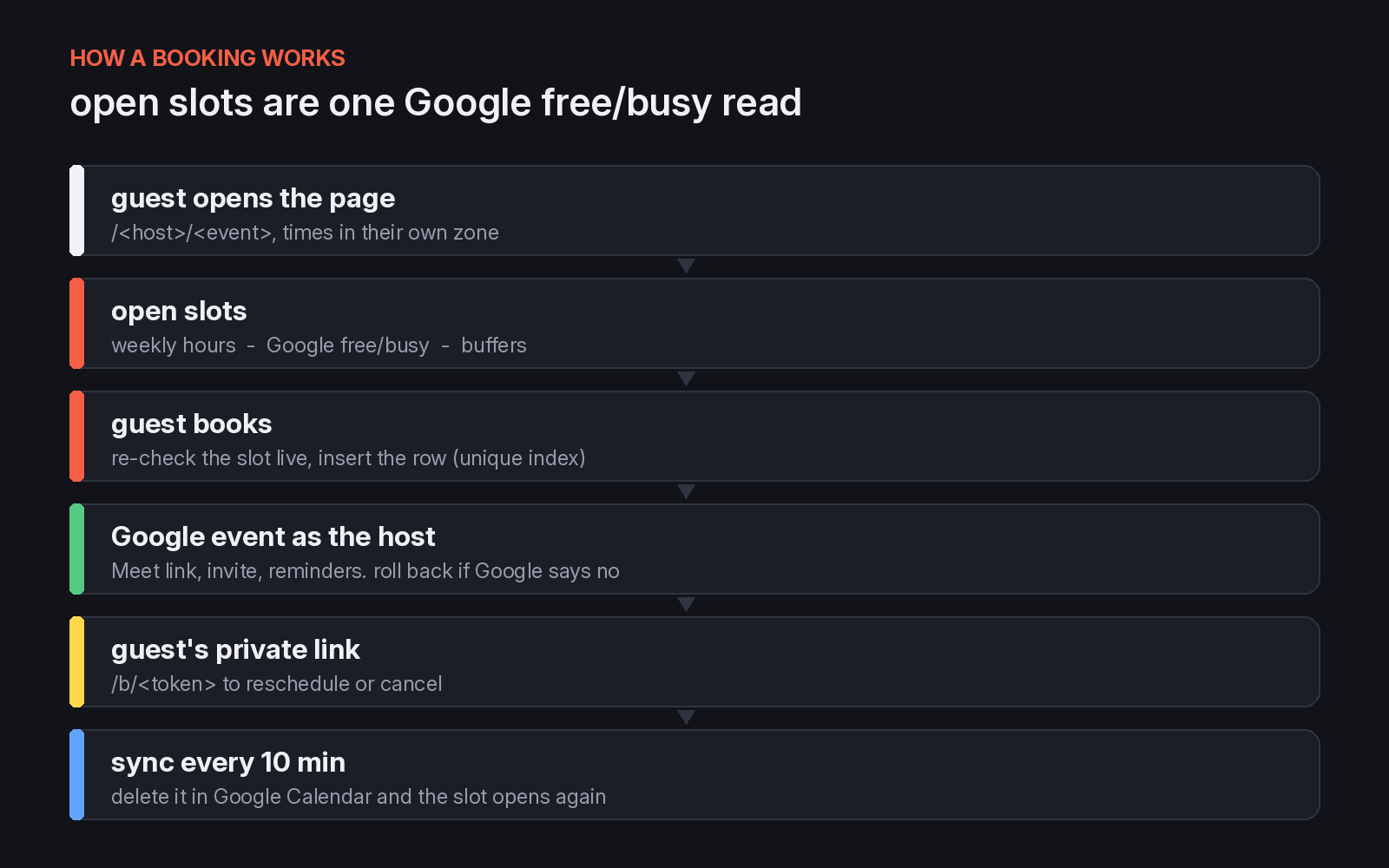
When a guest opens an event, the page loads every open time for the whole booking window from one free/busy read, so month changes are instant. When they book, the app checks the slot live again, writes the booking, and creates the Google event as the host with a Meet link. If Google says no, the booking row is deleted again and the guest gets a clear try-again message.
One service account serves every host on your team. Each Google call is made as that host, through Workspace domain-wide delegation, so free/busy sees exactly what they see and the event is theirs.
#What broke in week one
Real guests find the bugs tests don't. These two are fixed in the repo.
A spam trap that trapped real people. The first version had a hidden "Company URL" field to catch bots. Some guests' browsers autofilled it, the app treated them as bots and returned a fake success, and a real guest saw "You're booked" with no booking behind it. The hidden field is gone. A booking either goes in or the guest sees an error.
A deleted test that blocked a real slot. A guest picked an open time and got "that time was just taken". An old test booking still sat in the database after its calendar event was deleted, so free/busy said free while the database said taken. Now confirmed bookings always count as busy, and a sync job runs every 10 minutes: delete a meeting in Google Calendar and its slot opens again, move it there and the booking moves too.
#Run your own in about 20 minutes
You need a Google Workspace super admin, a Supabase account and a Vercel account.
git clone https://github.com/Git-Agni/open-cal.git
- Supabase. Create a project, run
supabase/schema.sqlin the SQL editor, copy the URL and the service-role key. - Google Cloud. Enable the Calendar API, create a service account and download its JSON key.
- Workspace delegation. In admin.google.com, give the service account's client ID the
calendarscope. - Vercel. Import the repo, add the environment variables, deploy, and create your first page at
/admin. - Your domain. Point
cal.yourdomain.comat it.
The README has every click. The calendar scope lets the service account act on any calendar in your Workspace, so treat its key like a password.
It needs Google Workspace, any paid plan, because personal Gmail accounts can't use domain-wide delegation. A personal Gmail calendar still works as a busy calendar if you share it with a Workspace host. There are no payments, no round-robin, no Zoom and no embeds. Fork it and add what you need.
#FAQ
Is there a free Calendly alternative? Yes. open-cal is free and open source under MIT. You host it on Vercel with Supabase and your own Google Workspace, and pay nothing per seat.
Does open-cal work with Google Calendar? Yes, that's all it works with. It reads free/busy from your Google calendars and creates the booking on the host's calendar with a Google Meet link.
Do guests get calendar invites and reminders? Yes. Google sends the invite, the reminders, the update when a time moves and the cancellation, because the event is a real Google Calendar event.
Can my whole team use it? Yes. One deploy serves every host in your Google Workspace, each with their own page, events and hours. The admin is one password by default.
Does it work with a personal Gmail account? Not as a host, because it needs Workspace domain-wide delegation. A personal Gmail calendar can still block time if you share it with a Workspace host.
What does open-cal not do? Payments, round-robin, team pooling, Zoom, embeds and SMS. It's MIT, so fork it and add them.
#Links
- The code: github.com/Git-Agni/open-cal, MIT
- More in this series: the open source iPhone farm, the TikTok farming playbook, UAE corporate tax, UAE VAT